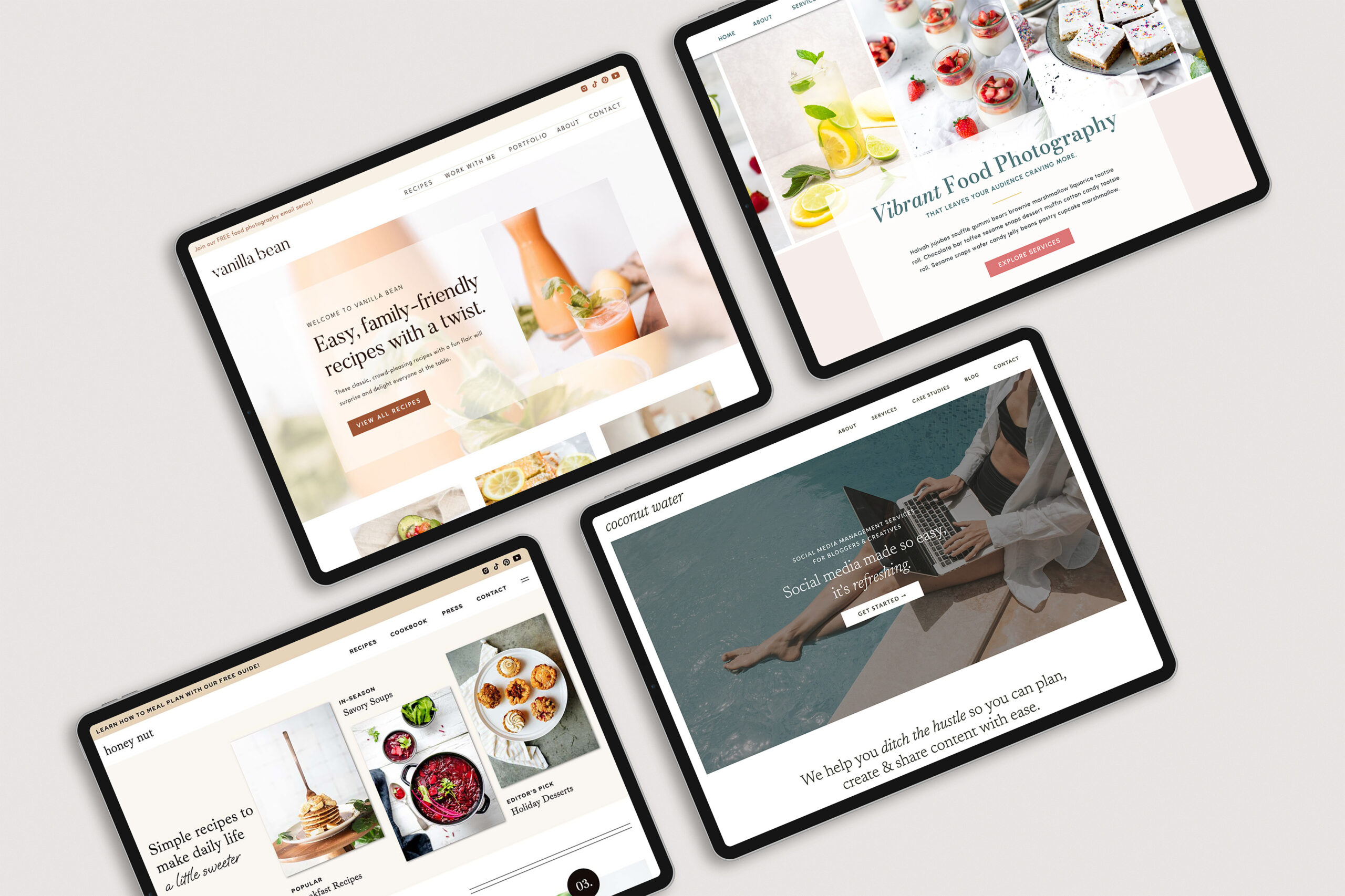

Choosing the right website template can feel overwhelming—especially when there are so many beautiful Showit website templates to choose from. The good news? You don’t need to find a “perfect” template. You just need one that supports your business, your audience, and the way you plan to use your website.
In this guide, I’ll walk you through how to choose a Showit template (like the ones in my shop) with clarity and confidence, using a simple, practical approach you can apply, even if this is your first-ever website!

Why I Recommend Showit Templates for Service-Based Businesses
I’m a Showit Design Partner, and Showit is my go-to website platform. Here’s why:
- It’s extremely beginner-friendly (no code required)
- You can customize anything—layouts, fonts, colors, spacing, and more
- You’re never locked into a template
- It’s flexible enough to grow with your business
So, this post focuses on DIY website templates built for Showit, specifically.
Step 1: Get Clear on What You Do and Who You Serve
Before you browse templates, you need clarity. Otherwise, everything will start to look good—and decision fatigue will set in fast.
Start by writing a simple value message:
I help [who you serve] by [what you do] so they can [desired result].
Example:
“I help newly engaged couples by capturing candid memories so they can celebrate their love story for years to come.”
This one sentence helps you evaluate templates through a strategic lens instead of an emotional one. As you shop, you can ask:
- Does this layout support what I offer?
- Does it speak to the audience I want to attract?
Step 2: Identify Your Brand Style
Most Showit website templates have a distinct design style. Some are:
- Minimal and modern
- Romantic and elegant
- Boho or organic
- Bold and editorial
While colors, fonts, and branding can be changed during the template customization process, starting with a template that closely aligns with your brand vibe will make things easier for you!
👉 Tip: Always consider your audience here. Your brand style should resonate with them, not just your personal taste.
Step 3: List the Features You Actually Need
Next, think about functionality. Ask yourself:
- Do I need a blog?
- A portfolio or gallery?
- A podcast page?
- Sales pages or long-form content?
For example, a photographer might want:
- A dedicated portfolio page
- Images showcased throughout the site
- Clear calls to action for booking
Not every Showit template includes the same pages or elements, so this step helps you avoid buying something that doesn’t have the features you need. You can always add more functionality to your website by purchasing add-on templates, though!
Step 4: Set a Realistic Budget (With Wiggle Room)
Showit templates range from free to $1,000+.
When setting your budget:
- Choose a range you’re comfortable with
- Factor in payment plans (many designers offer them)
- Leave a little flexibility if you need more features
A higher price doesn’t always mean a better fit—but more pages and customization options can justify a higher investment depending on your needs.
Step 5: Compare Templates Based on Layout (Not Just Aesthetic)
When browsing Showit website templates, focus on layout and user experience first.
Again, you can always change colors, fonts, and images.
But layout is the foundation.
Always Check the Demo Site
Most template designers include a live demo. This allows you to:
- Scroll the site like a real visitor
- See how content flows
- Evaluate navigation and readability
Ask yourself:
- Is this easy to navigate?
- Does it highlight important information clearly?
- Can I picture my own content here?
How to Choose Between Two Good Templates
Often, you’ll narrow it down to 2-3 strong options. At that point, the decision usually comes down to:
- Which layout feels more aligned with your brand?
- Which one serves your audience better?
- Which one supports where your business is right now?
Example:
- A newer photographer might prefer a template with images sprinkled throughout
- A more established photographer might want a dedicated portfolio section
There’s no universally “right” choice—just the right choice for you.
Remember: You’re Not Locked In
One of the biggest advantages of using a DIY website template on Showit is flexibility.
You can:
- Adjust layouts
- Add or remove sections
- Customize nearly everything
The goal is to choose a strong starting point—not a finished product.
Free Resource: DIY Website Checklist
To make this process even easier, I’ve created a free DIY website checklist you can use before and during your website build.
It helps you:
- Clarify your website goals
- Prepare content ahead of time
- Stay organized during customization
👉 Grab the free DIY Website Checklist here!
Explore My Showit Website Templates
If you’d like to see professionally designed Showit website templates created specifically for service-based businesses, you can explore my template shop.
Each template includes:
- Strategic layouts
- A clean, customizable design foundation
- Lifetime access to my resource library, with tips for:
- Preparing your content
- Customizing your template
- Launching your site with confidence
👉 Shop the MPD Template Collection
Final Thoughts
Choosing a Showit template doesn’t have to be complicated. With a clear understanding of your business, your audience, and your website needs, you can confidently select a template that supports your goals—now and as you grow.
If you’re building your site yourself, remember: clarity beats perfection every time.


©️ 2019-2026 MAYA PALMER DESIGNS L.L.C. | POLICIES | PHOTOGRAPHY CREDIT

